Introduction
In May 2025, The Browser Company — the team behind Arc — announced that they would stop active development of Arc and shift their focus to a new AI browser called “Dia.”
On top of that, several AI-powered browsers like ChatGPT Atlas and Comet by Perplexity are emerging, making the browser landscape more competitive than ever.
Using a product that’s no longer actively developed comes with obvious risks. When I first heard the news, I thought it was time to move on. Security patches will still be provided, but no new features are coming.
So I reluctantly tried Chrome, Zen Browser, and a few others. But I kept coming back to Arc. Its UX is simply too good.
This post is my attempt to articulate why I can’t leave Arc, and to clarify what I actually want from a browser.
Why I Can’t Leave
1. The sidebar-centric tab management is beautifully designed
Arc replaces the traditional horizontal tab bar with a vertical sidebar on the left. I use an ultrawide monitor, so having tabs in the sidebar doesn’t eat into my viewport — it actually makes better use of the horizontal screen space.
Other browsers like Dia and Zen Browser offer vertical tabs too, but they feel like afterthoughts to me.
Also, AI browsers tend to have a chat panel on the right side, which squeezes the main browsing area even further.
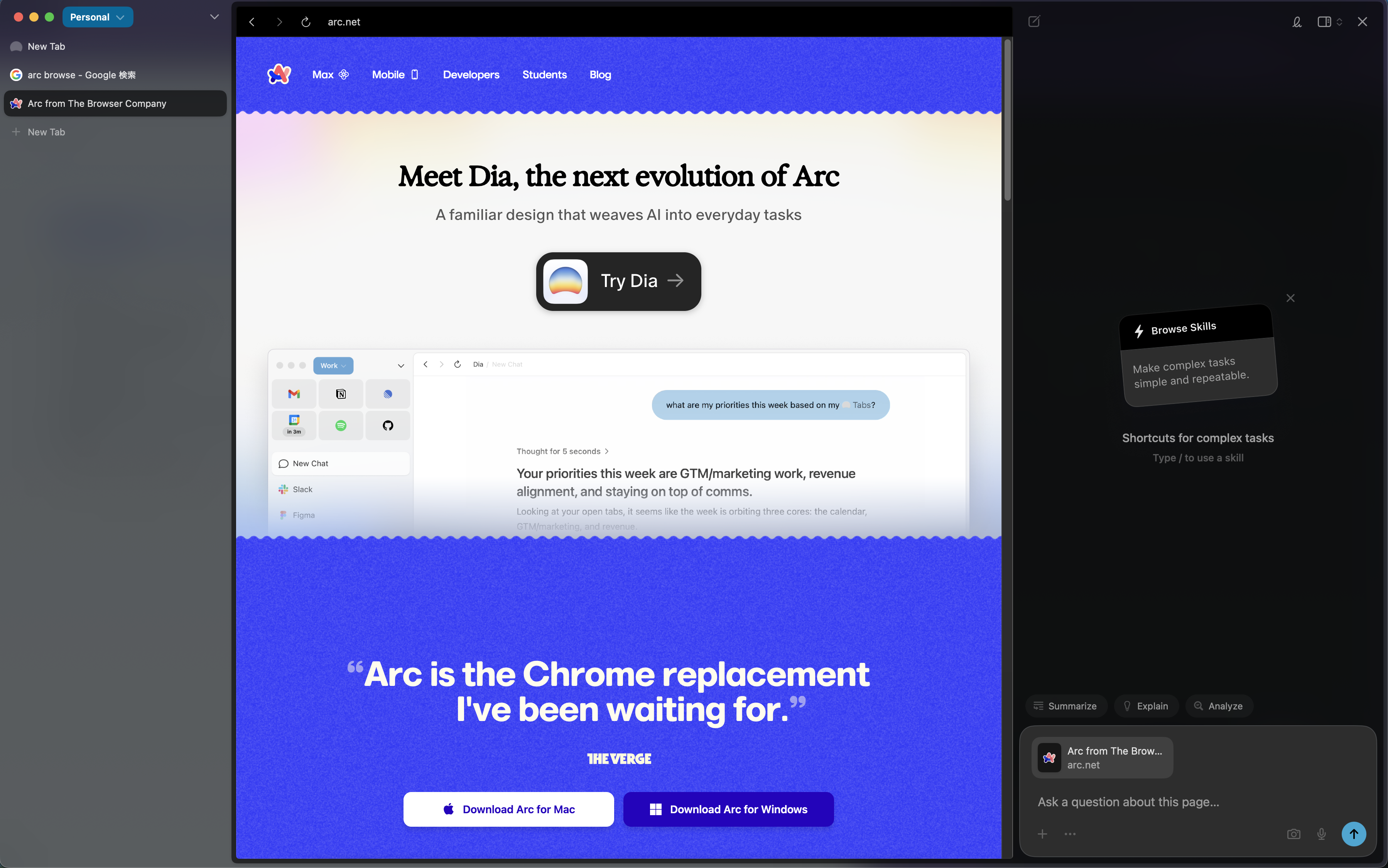
Arc’s sidebar feels like it was the foundation of the entire product, not a bolt-on feature. You can group tabs into Spaces (workspaces), and use Split View to display multiple tabs side by side or stacked within a single window.
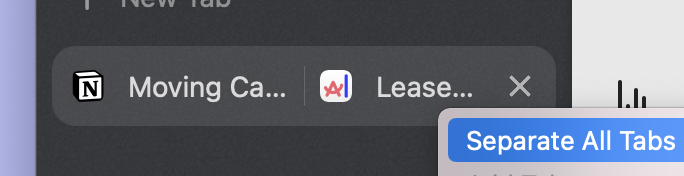
This sidebar-first architecture is what makes Arc feel cohesive. It’s not just a feature — it’s the design philosophy.
2. Little Arc: link previews from external apps
Note: This feature is not available on Windows.
Honestly, this is the single biggest reason I use Arc.
During my workday, I constantly open URLs from external apps:
- Clicking links shared in Slack
- Opening URLs from Claude Code’s research output in the terminal
- Following documentation links from code comments in my editor
- Opening URLs embedded in Notion tasks
With other browsers, every link opens as a new tab in the main browser window. The browser steals focus, you read the page, switch back to Slack or your terminal, and try to remember what you were doing. Meanwhile, tabs pile up endlessly.
Arc handles this with “Little Arc” — a small, lightweight preview window.
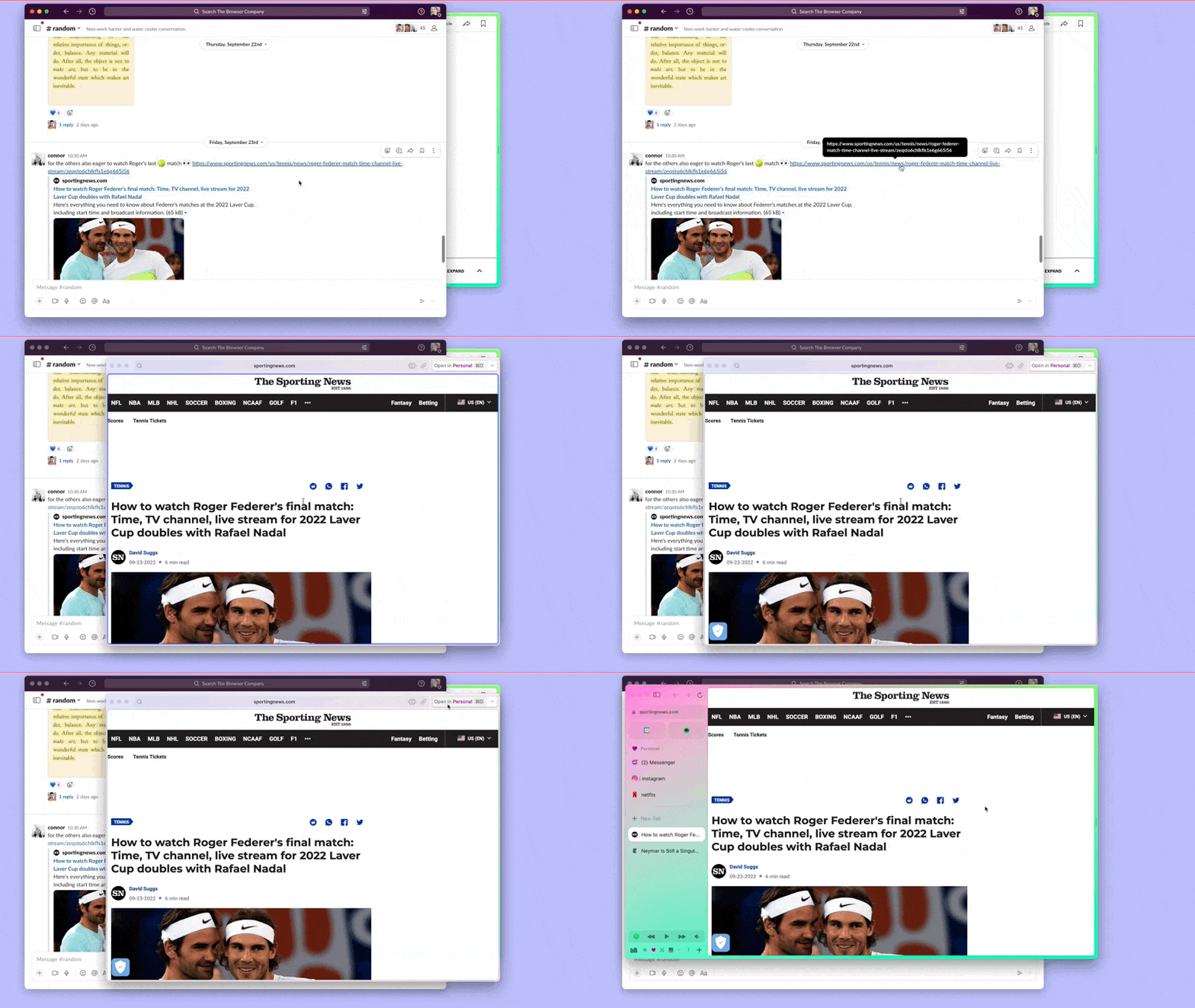
It doesn’t affect your main browser window. You glance at the content, close it, and you’re right back where you were. No new tabs. No broken focus.
Once you get used to this, every other browser feels disruptive. Every link click brings a flood of visual noise and breaks your flow state.
3. Built-in GitHub integration
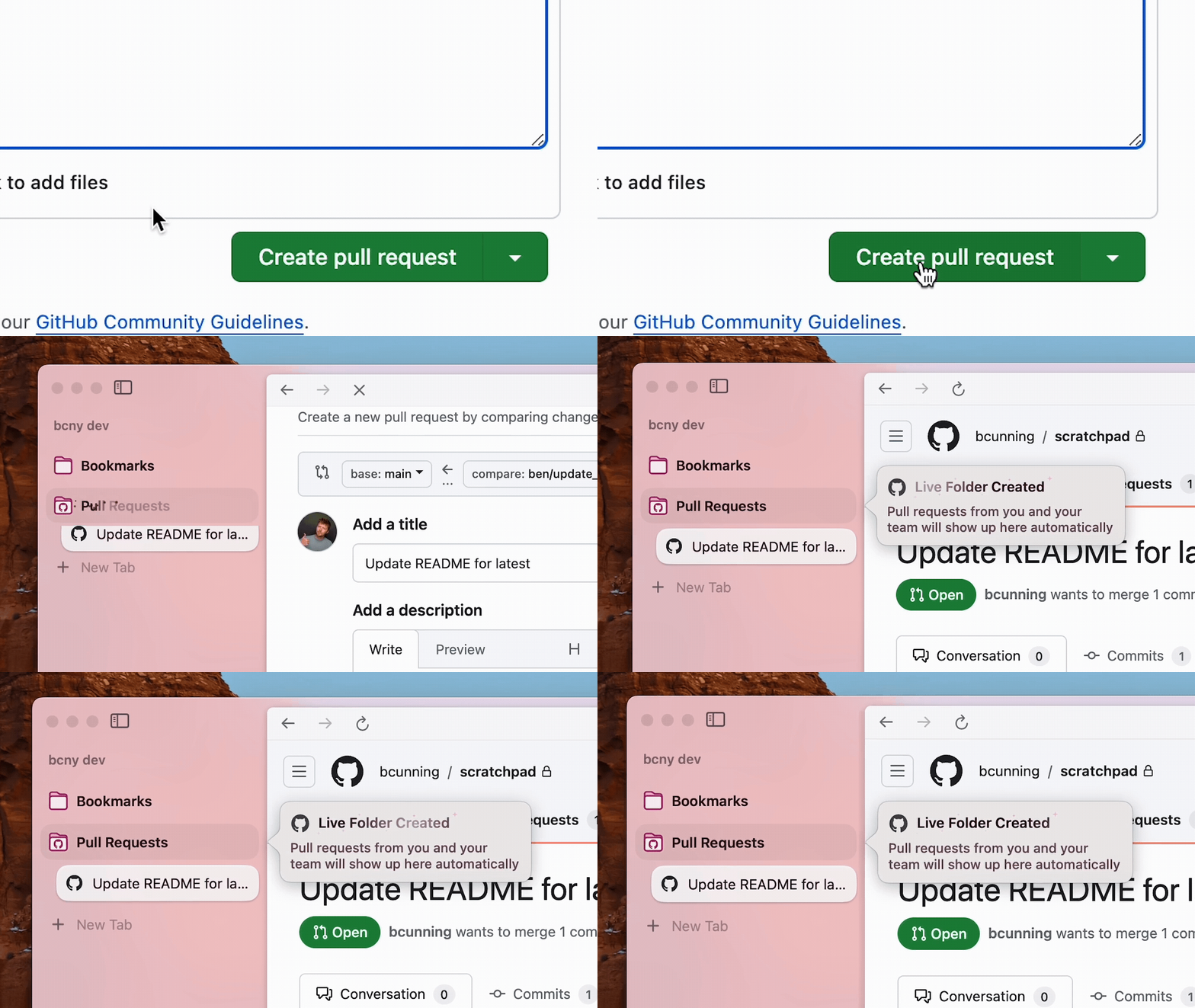
This one is a quiet win for developers. Arc has built-in GitHub integration that automatically surfaces your open PRs and review requests in the sidebar.
Instead of navigating to GitHub to check notifications, you just glance at the sidebar. It’s effortless.
4. Automatic tab archiving gives you a fresh start every morning
This might be achievable with Chrome extensions, but having it built in by default is what makes it special.
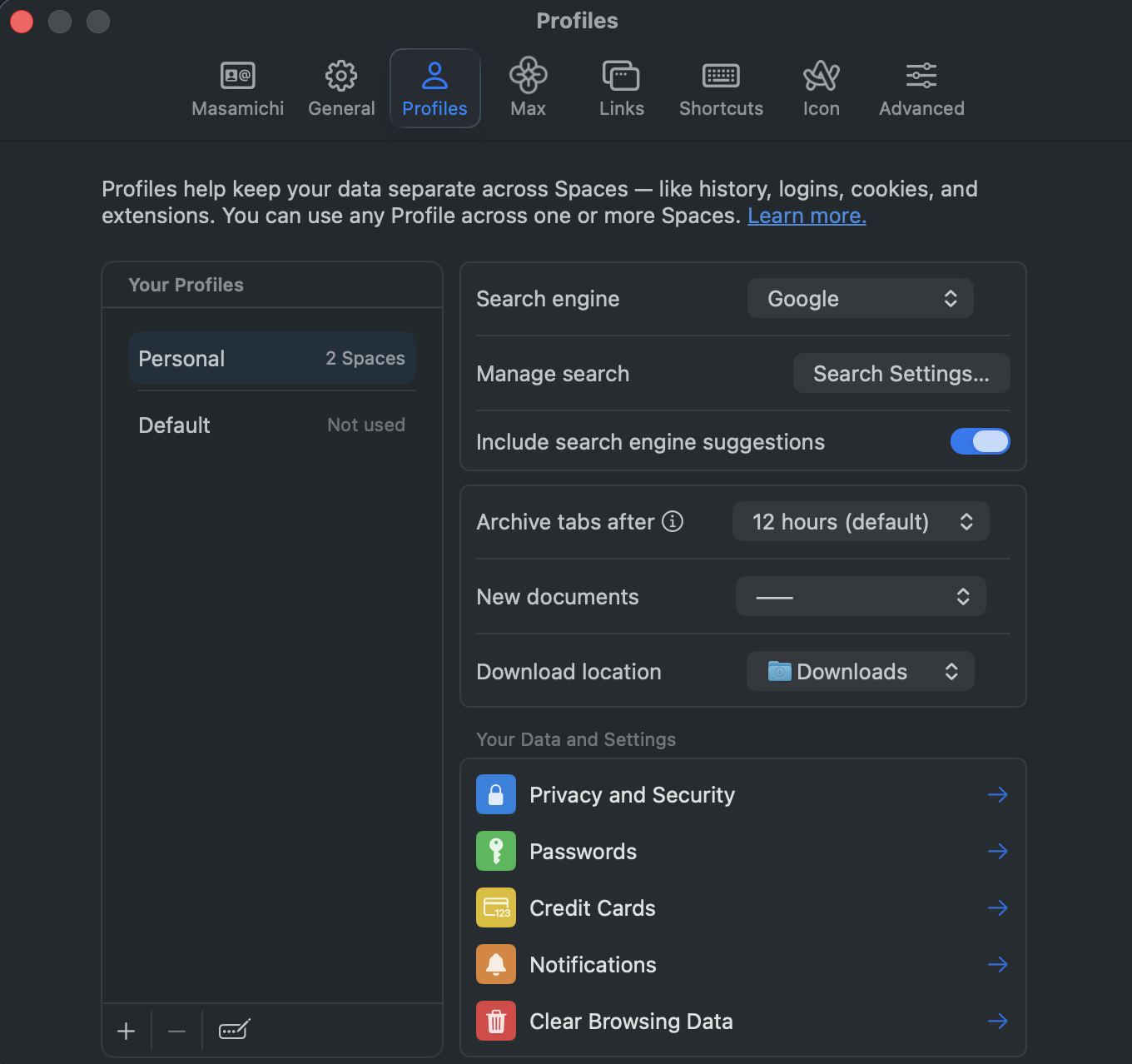
Arc automatically archives tabs that haven’t been touched for a set period (12 hours by default). So when you open your browser the next morning, everything except your pinned tabs is gone.
At first, I was anxious about tabs disappearing. But in practice, it causes zero inconvenience.
If I truly need a page, I can find it instantly with a search. If it’s important enough, I pin it. The real benefit is starting each day with a clean slate — no leftover tabs pulling my attention in random directions.
I’m the kind of person who sees yesterday’s tabs and thinks “I might need this later…” instead of closing them. Having them automatically cleared is a gift for my indecisive brain.
What I Actually Want From a Browser
Finish the browsing task as fast as possible
I get distracted easily. Unnecessary information catches my eye immediately, and I lose track of what I was doing. I need a browser that minimizes noise and keeps me in flow.
With the rise of LLMs, I can delegate research and routine tasks to AI — but that also means more context switches. More interruptions. More moments where I’m pulled out of deep work.
Arc feels like it was designed with this exact problem in mind. It consistently helps me maintain focus across the small, fragmented browsing moments that happen throughout a development session.
The browsing tasks that pop up mid-development get resolved and released from my working memory faster.
Conclusion
I’ve been sticking with Arc browser, so I took the time to reflect on exactly why I can’t leave it. The unique strengths of this browser are still very much alive.
Vertical tabs, Split View, Little Arc, auto-archive — individually, other browsers can replicate each of these features. But the experience of having them all integrated under a single, coherent design philosophy? I haven’t found that anywhere else.
Of course, there are real risks to using a product with no active development. New web standards may not be supported promptly, it’s unclear how long the Chromium base will be updated, and The Browser Company’s acquisition by Atlassian makes Arc’s future even more uncertain. Rationally, I know I should migrate at some point.
But so far, alternatives like Zen Browser and Vivaldi — while they support vertical tabs — haven’t matched Arc’s sense of cohesion.
I’m quietly hoping that Dia or another browser will eventually offer a similar experience.
If you know of a browser that comes close, I’d love to hear about it.